
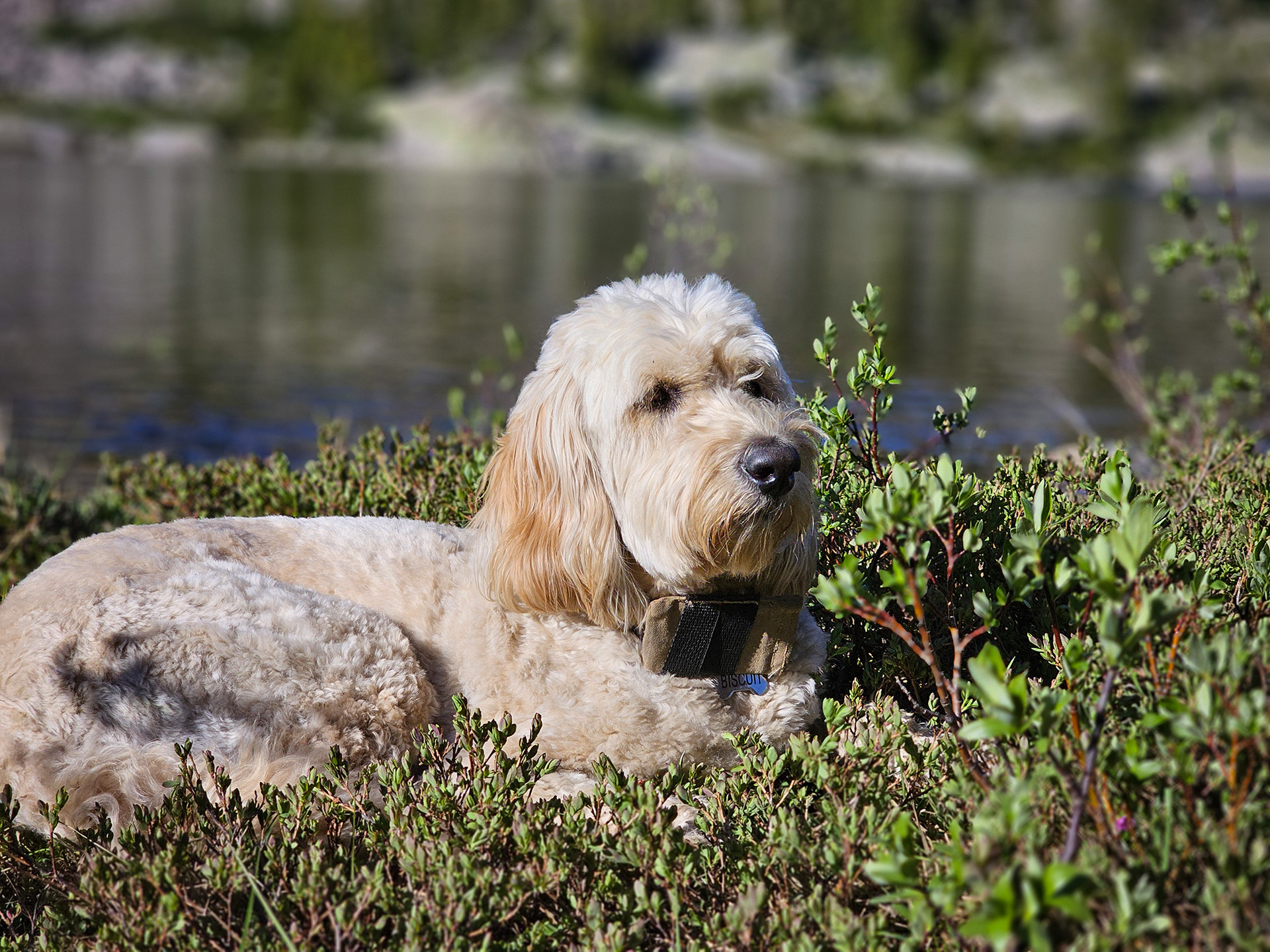
Biscuit chilling at a lake on our 2025 Wind River backpacking trip. You can see the pouch on his collar holding his Meshtastic LoRa node.
A while back, a good friend of mine introduced me to LoRa radios using Meshtastic. After he gave me my first couple of radios, it didn't take me long to get addicted to the technology.
Meshtastic is a really neat off-grid radio system that creates a mesh network across all the nodes within range. The range can be many miles with line of sight and good antennas. This allows you to see GPS locations of the nodes in your own private or public channels(a channel in Meshtastic is a group of other nodes) and send text messages.
The first radios I got from my friend were SenseCAP Card Tracker T1000-E nodes. These are great little nodes to get started learning Meshtastic with. I currently use the SenseCAP Card Tracker T1000-E node on my dog's collar and have it set to "tracking mode", sending out its GPS coordinates to our private channel every two minutes. In this mode, I can keep close tabs on where Biscuit is at.
What is Meshtastic and LoRa?
LoRa is a low-power, long-range radio system, and I mean countless miles of range if you have a clear line of sight. These radio nodes send text messages, GPS coordinates, and other small packets of data. There are different software systems that can be flashed to your LoRa radios to use the LoRa radio technology. Our family is using Meshtastic firmware flashed to our radios and the free Meshtastic app for our phones found in the Google Play store. The Meshtastic app uses your phone's Bluetooth to connect to your LoRa radio node to control it and send messages through it etc. The radio nodes all work together, creating a mesh network that is completely off-grid, completely encrypted and private if you set up channels to be private and quite affordable. You can get complete nodes for $50 or less each. The Meshtastic app and firmware for nodes are free. No subscriptions, no licensing and no super expensive equipment.
Some of the features we like and how we use our Meshtastic nodes on our hunting and backpacking adventures.
- There is a map in the app that allows us to see where each of the nodes are at and that includes our dogs who have radios on their collars. In the map, we can drop pins with notes that we can share within our private channel and each of us can update the pins and add pins for the whole group/channel to see.
- We can send messages out to the whole group or we can send personal messages to individual nodes.
- All the radios work to pass data along to the whole group so if two nodes are completely behind a mountain from each other but a node is somewhere that generally has line of sight to both radios, this node will pass data along between the two nodes.
- When sending a direct message to only a single node you will get a confirmation receipt if the message made it through successfully. As I write this, the software does not give individual confirmations from all nodes within a group when sending out a group message. It only says whether the message made it into at least one of the other nodes within the group.
- I also have a node that stays in my Jeep, acting as an additional node to relay data around our group(private channel) of radios.
- When backpacking, I bring an additional node along that I keep at camp. This again, like with my Jeep node, gives us an additional node to help relay data through to each other's nodes and we can also see where our camp is on the map in the Meshtastic app.
Why LoRa isn't for everyone.
With all the great features of Meshtastic, it can be a little complicated for some. If you are an iPhone/Mac kind of person who just wants it all to work, Meshtastic isn't for you. There are a ton of different settings and it can be a little complicated with the software and hardware. For the most part, people are building nodes from 3d printed cases and choosing batteries and different boards and options. There are nodes like the SenseCAP T100-E that I use for my dog that are all built and ready to go however, even with this prebuilt node, I have to plug it into a computer and do a Meshtastic firmware flash from time to time to keep the node up to date with the latest features. Using Meshtastic does require a little bit of being a computer geek to understand technical hardware and software configurations. For me, this is a positive. I love tinkering and building cool things. For me, I am drawn to projects like this that have a great reward of building something yourself that does really cool things.
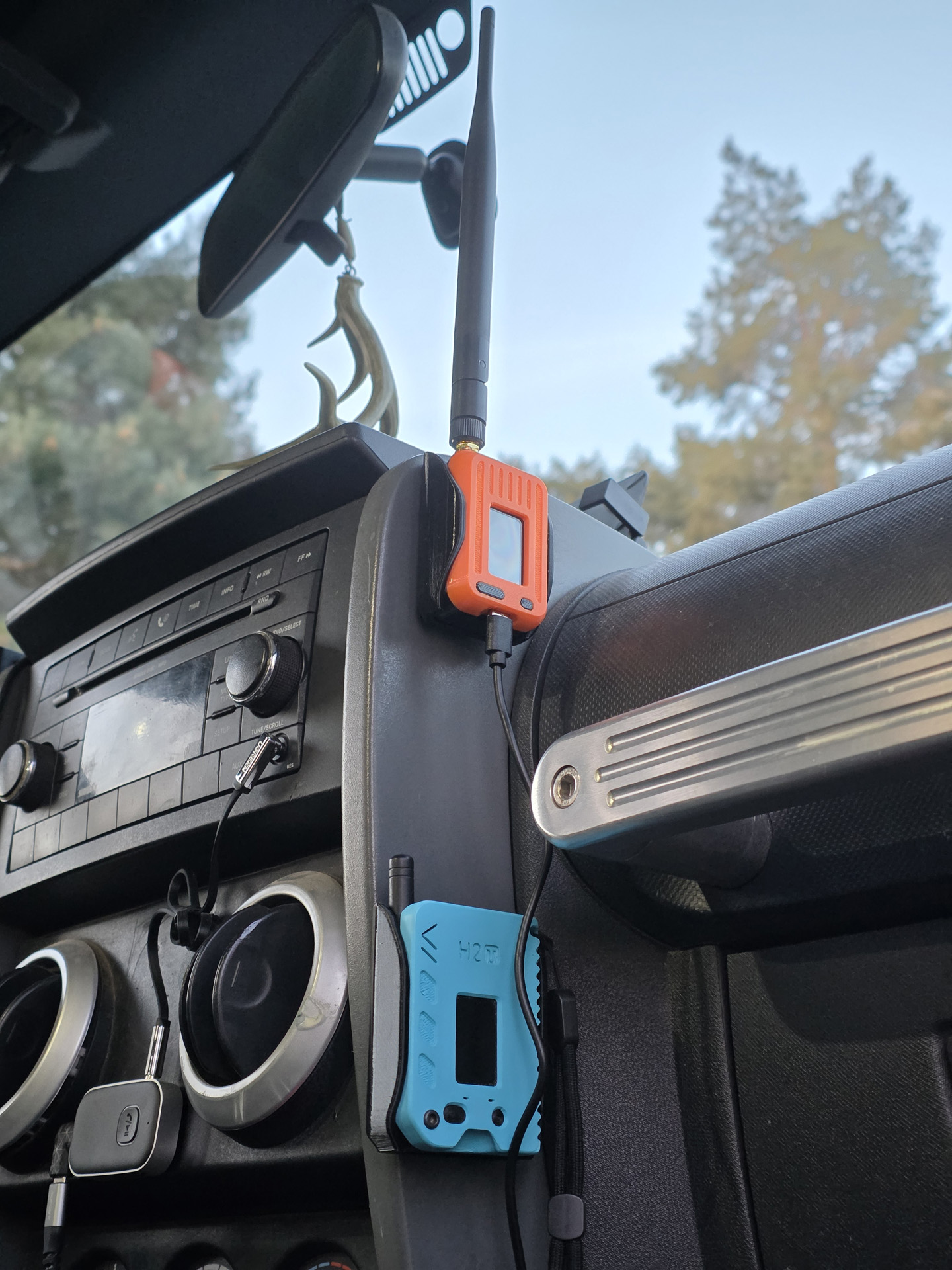
My dedicated Jeep Lora radio (top) and Kaden's blue node in my Jeep. The node for my Jeep I use without a battery and power it on with a switch for USB power from my Jeep.
If you happen to be in the Morgan, Utah area, I have 3 solar-powered nodes around the valley on private property that are using the default frequency slot 20 and they will forward any data in the area from other nodes that are using this default frequency slot. These solar nodes are on a private channel, so you won't see them in your network of nodes but they will help relay data in your network if you are using slot 20 in the Morgan area.
For our personal radio nodes, we have been using HelTec T114 V2 LoRaWAN Meshtastic Board with GNSS(aka GPS). For my solar remote nodes, I like the RAKwireless WisBlock RAK4631 board. These RAK4631 boards are good for adding on other items like weather sensors.
I have enjoyed 3d printing cases and doing my own builds by getting parts off Amazon or from Rokland for our builds. Rokland is the best place I have found to get all things Meshtastic but you can find a lot on Amazon.
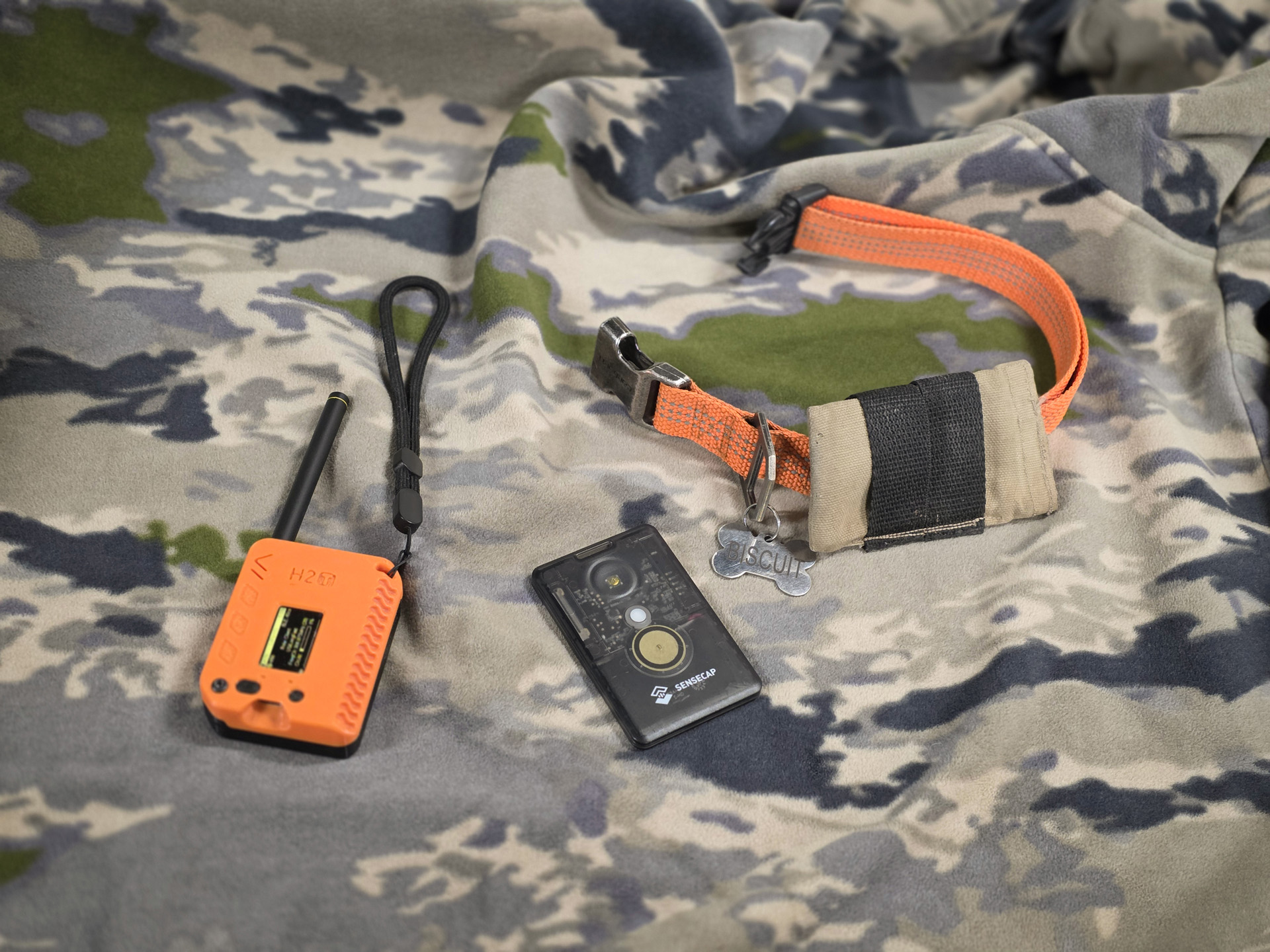
My personal LoRa node with a Heltec T114 v2 board and Linx antenna and my dog Biscuit's SenseCAP Card Tracker T1000-E, which I place in a pouch I sewed for his collar. This SenseCAP node is fairly waterproof and Biscuit has taken it for a couple of swims without having any issues.

This solar node is on the rooftop of my house with a temperature sensor attached. This node is set to "client base" mode and it helps pass data to my personal node when I'm at the house.